Most crypto swap platforms have an identity threshold at some point in the process, such as a KYC trigger buried in the terms, a c...
How to Swap Crypto on Godex: A Step-by-Step Guide to No-KYC Crypto Swapping
Created:  Daniel Francis
Daniel Francis 11 mins
 Most crypto swap platforms have an identity threshold at some point in the process, such as a KYC trigger buried in the terms, a compliance partner running checks on large transactions, or an account requirement that becomes more intrusive over time.
Godex does not work that way, offering simple wallet-to-wallet swaps with no registration, no email, and no verification requirement, regardless of the transaction size – there’s no upper limit. For no-KYC, there is no account to create or audit.
Our guide covers how to swap crypto on Godex in full, including pair selection, rate types, fee structure, sending and receiving, and any gotchas.
If you are considering a large swap, privacy coin routing, or simply an easy exchange that does not require a login, this is how to do it.
Key Takeaways
How to Use Godex: Step-by-Step
You will not need to create an account at any stage of this process. Before you start, you will need a funded wallet for the asset you are sending and a valid receiving wallet address for the asset you want.
Step 1: Select Your Trading Pair
Go to Godex.io, or download the Android app (for a very similar experience). The main interface shows two fields: one for the asset you are sending, and one for the asset you want to receive. Select your currencies (e.g., BTC to ETH) in each field and enter the amount you want to swap.
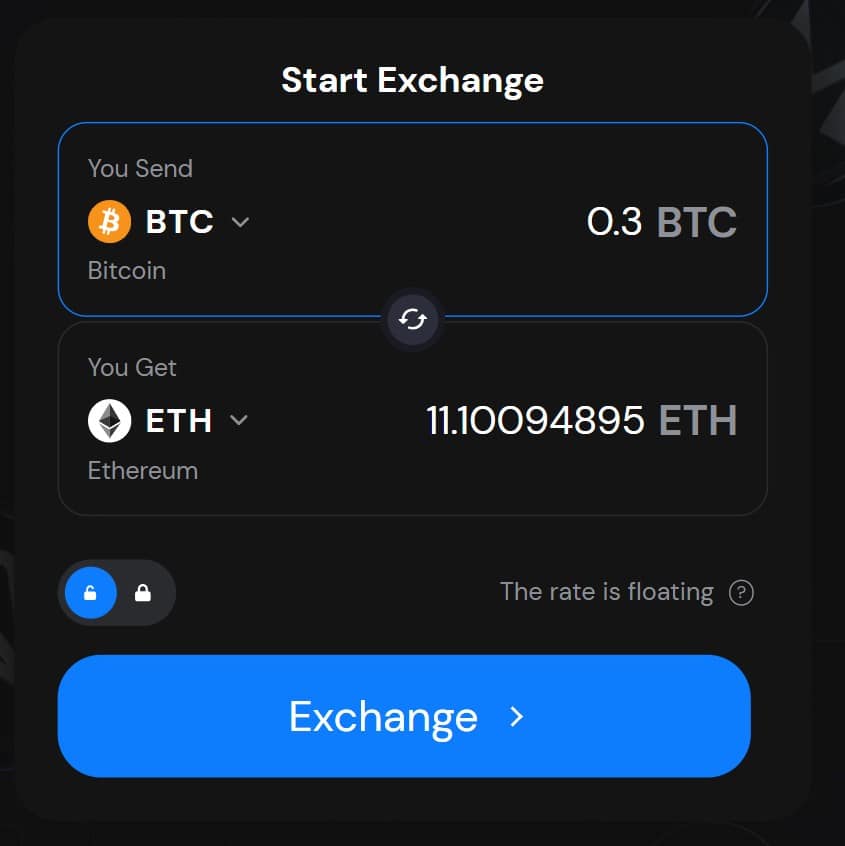
The platform calculates the estimated output and displays the quoted exchange rate in real time, while Godex aggregates rates across multiple liquidity sources, including Bitfinex, KuCoin, and Binance, so the quote reflects live market conditions rather than a static internal price.
Do take a moment here to check that the pair and direction are correct! On-chain transactions are irreversible once included in a block, so the confirmation stage is your opportunity to catch any input errors.
Step 2: Choose Fixed Rate or Floating Rate
After entering your pair and amount, you will be prompted to choose between the fixed rate and the floating rate.
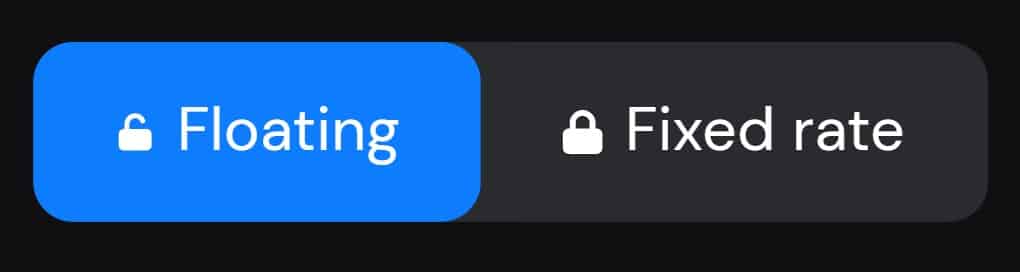
The fixed rate locks your quoted output for 30 minutes, which we recommend for larger swaps or any pair with notable volatility at the time of execution. The floating rate tracks the market and is appropriate for smaller, routine swaps where the premium on a fixed quote is not worth the tradeoff.
If you select the fixed rate, your execution window is 30 minutes from confirmation. Sending after that window expires means the rate will no longer apply, and the swap will revert to floating.
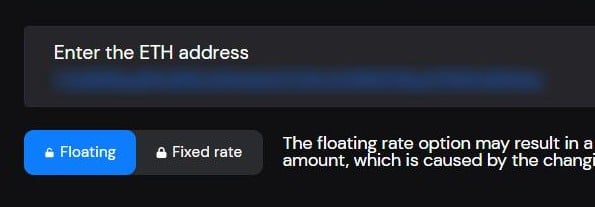
Step 3: Enter Your Receiving Wallet Address
Enter the destination wallet address for the currency you want to receive. This is the only piece of information the platform stores during a transaction, and it is automatically deleted along with all other order data after 2 weeks.
If you are swapping into Monero, Ripple, or Stellar, an additional ID field will appear alongside the standard address field.
- Monero – Payment ID
- Ripple – Destination Tag
- Stellar – a Memo.
Check what your receiving wallet requires before completing this field, as an incorrect or missing additional ID on applicable pairs can void the transaction or send your funds to the void.
Double-check the address, and at a minimum, verify the first and last several characters against your receiving wallet. Crypto safety is one of the most important things to know about.
Step 4: Send Funds to the Deposit Address
After entering your receiving address and confirming the transaction details, Godex generates a one-time deposit address specific to that transaction. Send the exact input amount to that address within the rate window.
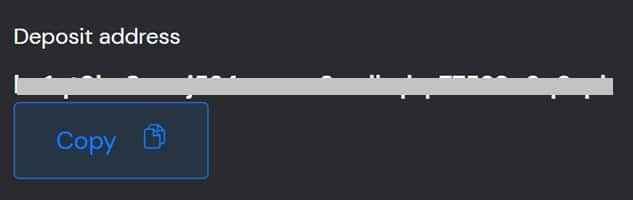
The deposit address is generated for that transaction only and is not reusable – do not send funds to a previously used Godex deposit address from a prior transaction!
Send the exact amount displayed, as significant underpayment may result in the transaction failing or the output being recalculated at a different rate.
Step 5: Monitor and Confirm Receipt
Once Godex receives your deposit and the sending network confirms the transaction, the platform routes the swap through its liquidity sources and sends the output to the receiving address you provided.
Most swaps complete within 5-20 minutes – the exact time is going to depend on the block times (and congestion) of the sending and receiving networks.
For instance, Bitcoin transactions may take around 10 minutes per confirmation, while Ethereum swaps typically complete faster, often within a few minutes under normal network conditions.
The transaction status is visible through the exchange interface using your order ID. If execution is taking longer than expected, that tracking page is the first place to check before contacting support.
After the swap completes, Godex deletes all order information after two weeks. There is no permanent record held on the platform beyond that window.
Godex at a Glance: Strengths and Limitations
Strengths (✅)
Limitations (❌)
No KYC at any transaction size — no hidden thresholds confirmed through 2026
US users are not supported
936+ cryptocurrencies, including native XMR support
No fiat on- or off-ramp — crypto-to-crypto only
No account, no email, no registration required
No proof-of-reserves or third-party financial audit
~0.5% all-in fee — competitive against the non-custodial swap market
No major-jurisdiction regulatory license (MiCAR, FinCEN, etc.)
Official Trezor integration — requires an independent security review to list
No advanced order types, charting, or margin trading
Automatic order deletion after two weeks
Fixed rate locked for 30 minutes — no extra fee beyond the small premium in the quote
No security breaches since the 2018 launch
The absence of a fiat gateway is worth noting: if you need to move from fiat to crypto before a swap, or convert back to fiat after receiving your output asset, Godex is not the platform for that step. We don’t consider it a limitation of the platform – just a heads up. You use the right tool for the right job, and Godex is about the swaps.
What Is Godex?
Godex has operated since 2018 as a non-custodial instant swap service that collects no personal data.
Because Godex never holds an account balance on your behalf, there is no KYC, and no account to attach a compliance requirement to. Funds move from your wallet, through a one-time deposit address Godex generates for that transaction, and out to your receiving wallet. The platform only temporarily custodies the coins during the execution.
Godex has an official integration with Trezor, the hardware wallet manufacturer, and must undergo an independent security review before listing. This means Godex has passed external vetting as a legitimate swap provider.
That integration allows Trezor users to initiate swaps directly from within Trezor Suite while private keys remain on the hardware device throughout the transaction.
Edge Wallet, which treats privacy as a core product requirement, also includes Godex as a vetted partner, adding a second layer of third-party validation.
The platform itself has not had any security breaches since its 2018 launch.
Note that US residents are not supported.
Godex Supported Coins
Godex supports 930+ cryptocurrencies, including the major assets BTC, ETH, XRP, and LTC, as well as privacy coins.
Godex processes actual on-chain XMR (not a wrapped or synthetic version of Monero),, making it a perfect spot for privacy-focused no-KYC swaps coins.
There are no upper transaction size limits on Godex, and the only minimum for some coins is the per-network miner fee requirement (which varies by blockchain).
Fees and Rate Structure
Godex charges approximately 0.5% all-in, embedded directly in the quoted exchange rate. There is no separate fee line displayed during the transaction – the spread is visible only by comparing the quoted rate against the live mid-market price.
This is a standard model across the non-custodial swap category, and Godex’s 0.5% sits at the lower end of that market.
The platform does not charge withdrawal fees of its own – the only additional costs are standard network fees on the sending and receiving chains, which are outside Godex’s control and vary by network congestion and transaction size.
Fixed Rate vs. Floating Rate
The fixed rate locks the quoted exchange rate for 30 minutes from the point of confirmation. The output amount you see at quote time is the output amount you receive, regardless of how the market moves during execution. A small premium is included in the fixed-rate quote to account for this protection.
For any swap where a 2–3% price move during the execution window would make a material difference to the outcome, the fixed rate removes that variable entirely.
The floating rate tracks the live market price throughout the transaction. If the pair moves in your favor during execution, you may receive a slightly better price than the initial quote. If it moves against you, the output will be lower.
For smaller swaps or less volatile pairs, the floating rate may yield a marginally better result over time. For larger swaps on volatile pairs, the fixed rate is the more predictable option.
FAQs
Monthly Users Articles & Guides Research Hours AuthorsIs Godex safe to use?
Does Godex require KYC?
What is the difference between the fixed rate and floating rate?
How long does a Godex swap take?
Can I swap Monero (XMR) on Godex?
What are Godex’s fees?
Is Godex available in the US?
What happens to my transaction data after a swap?
Does Godex support fiat currency?
Coinspeaker in Numbers
250K+
80+
5000+
23
guides
How to Swap Crypto on Godex: A Step-by-Step Guide to No-KYC Crypto Swapping
June 12th, 2026
CoinDepo vs. WhiteBIT Earn Comparison: Yields, Features, Security and More
June 2nd, 2026
Divine Ray (DRC) Price Prediction 2026-2030
June 1st, 2026
In the competitive world of crypto yield generation, CoinDepo and WhiteBIT Earn have built notable reputations as centralized plat...
Although most Web3 social platforms struggle to move beyond the hype phase, Divine Ray has taken a more grounded route. Its team h...
Daniel Francis
, 298 postsDaniel Frances is a technical writer and Web3 educator specializing in macroeconomics and DeFi mechanics. A crypto native since 2017, Daniel leverages his background in on-chain analytics to author evidence-based reports and deep-dive guides. He holds certifications from The Blockchain Council, and is dedicated to providing "information gain" that cuts through market hype to find real-world blockchain utility.